
Marketing agencies
Before writing a creative brief, transcribe a reference ad and collect its opening line or call to action. Keep the post link and any timestamps with your notes.
Give the team a brief with examples they can replay in context.
Open the TikTok post, tap Share, then choose Copy link. You can use a TikTok share link too.
Paste the link into Single video, choose an output language, and select Generate transcript. The result appears below the form.
Check names and numbers against the clip. Copy the words or save the TXT file. When timestamps are available, use SRT or WebVTT to keep them.
When timestamps are available, the transcript shows when each line starts and ends down to the millisecond. Use those times to find a quote in the original clip or line up subtitles with the video.
Use TXT for plain text, SRT for video editors, and WebVTT for web players. Both subtitle formats keep start and end times.
transcript.srt1
00:00:01,200 --> 00:00:04,400
Pick one video you want to save.Start and end timestamps for each subtitle line
Choose Spanish, Portuguese, or another output language before you generate a transcript. Open the original while the translation is being prepared, then switch between versions to check a name, price, or phrase in context.
Both versions use the same timestamps when available. Copy the translated text into your notes, or export SRT or WebVTT to add the translation to a compatible editor or player.

EnglishShow where the little trees go along the walkway.
Spanish originalMuestra dónde van los arbolitos a lo largo del sendero.
Follow the opening, product shots, and call to action on a timeline. Select a shot to see its duration, framing, camera movement, and any dialogue or on-screen text.
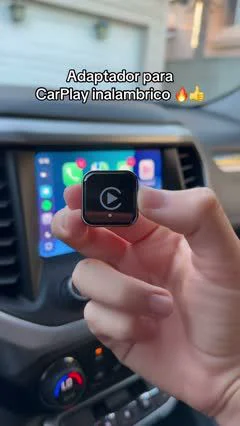
Compare where the CarPlay clip reveals the adapter with how the solar-light clip saves its reveal for after dark. Automatic breakdowns for your own videos are coming soon.
00:00–00:05
The opening shows the device in the place it will be used. The next two shots prove both setup and everyday use.
Preview three ways to gather TikToks for transcription: paste a list of public links, find videos by creator, or start with a saved collection.
Paste public TikTok video links, one per line, to get a separate transcript for each video.
tiktok.com/@stealsdude/video/7694840166376164622tiktok.com/@little_mike_1/video/7691856718178913549tiktok.com/@stroudsimplysouthern/video/7697750684694777101Getting a quote can mean replaying the audio and typing it out by hand.
TikScript tries to transcribe the audio when it can’t get usable captions for a clip up to two minutes long.
You can see the words but may still miss a claim, instruction, or joke.
Choose an output language before generating, then switch between the translation and original to check a phrase.
The video moves on before you can write down the words or where you heard them.
Copy the line into your notes and use its timestamp, when available, to replay it in context.
Paste a public TikTok link. TikScript uses the available captions or tries speech recognition for clips up to two minutes. Choose a language before generating if you need a translation. Copy the result or download SRT or WebVTT when timestamps are available.
Before writing a creative brief, transcribe a reference ad and collect its opening line or call to action. Keep the post link and any timestamps with your notes.
Give the team a brief with examples they can replay in context.
When repurposing a published clip, generate a transcript and import its SRT file into a compatible editor when timestamps are available.
Start the new cut with a subtitle track you can adjust.
Save an interview or public statement as TXT. Keep the source link and any timestamps beside the quotes you use.
Build a record you and other researchers can verify against the clip.
Translate a short lesson or conversation, then switch to Original and listen to the same line. Keep the phrases you want to practice in your notes.
Study what a phrase means and hear how it was spoken.
Yes. Paste the link to an individual public TikTok or a TikTok share link. Choose Generate transcript, then copy or download the text.
Get 3 successful transcripts per browser without signing up. Failed requests do not count.
TikScript needs a public video it can access. Open the link to check whether the post is still public and plays before submitting it.
When a video has no usable captions, TikScript tries speech recognition on clips up to two minutes. A silent clip or one with no clear speech may return no transcript.
Accuracy depends on the source captions or the clarity of the audio. When timing is available, the result shows each line’s start and end timestamps down to the millisecond. Replay important names, numbers, and subtitle timings against the original before quoting or editing.
Captions represent the spoken words and may include sound cues. Text drawn into the video, such as a title or a product label, may only be visible in the picture. Check the original clip for those details.
Use TXT for plain text, SRT for compatible video editors, or WebVTT for web players. SRT and WebVTT preserve the start and end timestamps for each line. A result without timestamps only offers TXT.
Before generating, choose English, Spanish, Portuguese, Simplified Chinese, Traditional Chinese, Japanese, Korean, French, German, and Arabic under Output language. Select Original to keep the source language.
Yes. Switch to Original after the translation is ready. When timestamps are available, both versions use them. Start a new transcription request to choose a different translation language.
Submit one public video link at a time. Batch, Import by Handle, and Import by Collection are coming soon.
New accounts get 5 credits once. Pro costs $9 per month for 150 credits. A $5 one-time pack adds 40 credits valid for 12 months. Each successful transcript uses one credit, including a translation if selected.
Sign in before generating to find the result in your account’s transcript history. Transcript contents are kept for 30 days. Download a copy if you want to keep the words or timestamps longer.
The examples map the hook, product shots, and call to action to the timeline. Select a shot to see what happens on screen and any dialogue or text listed in the storyboard. Automatic breakdown of your own link is coming soon.