
Overview
Watch the TikTok once, then replay it and mark where it cuts. For each shot, record the time range, framing or camera move, spoken lines and screen text. Group the shots by what they do for the viewer.
Mark the cuts and group shots by purpose
- Start a row at the change in camera view or edit. If a camera pans without cutting, describe the movement in that row.
- Record the start and end time. Write the visible action as a short sentence. Capture dialogue, important sounds and on-screen text in separate notes.
- Group the shots by what they do, such as introducing the video, showing the product, or asking the viewer to act. One product demonstration can span several shots.
Check for a call to action in three places
Look for a spoken request, a line visible on screen, or an instruction in the post description. Write down where it appears. A closing shot can show the result and leave the action to the surrounding post.
The roofline post description repeats the benefit about avoiding an icy ladder. The last shot holds on the house. The post credits “Jingle Bells Trap” as its sound. This log records the music credit and on-screen wording, with no transcribed voiceover.
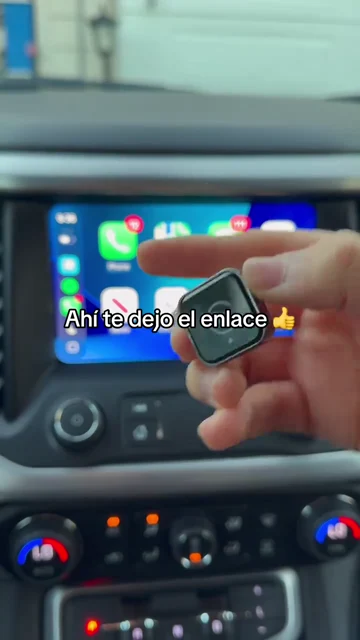
The CarPlay walkthrough gives viewers a clear action near the end. At 25.7 seconds, “Ahí te dejo el enlace” directs them to the link while a hand gestures at the screen. Log that as an on-screen CTA. If you also hear a CTA, record that wording and time in the voiceover field.
Copy a shot log for your own breakdown
Use one row for each camera cut. Give shots with the same purpose the same label, such as Hook. If the camera pans to reveal a product in one shot, note when the product enters the frame on that row.
Keep the original URL with the log. Record a spoken line verbatim only when you can verify it against the audio. Keep an uncertain word and its time range in the notes so another reviewer can replay it.
Beat Shot Start End Framing or movement Visible action Voiceover or sound On-screen text CTA or notesPlan your own video from the shot log
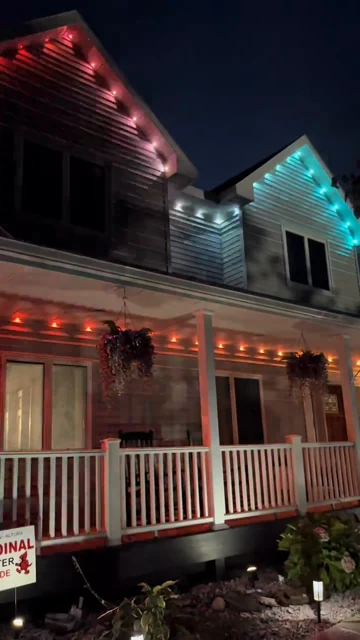
Write down what each group of shots shows. In the roofline example, holding the camera in one place makes the changes to the lights easy to see. You could use the same technique to compare two brightness settings on a desk lamp.
Choose the footage that will show your own result. Save the reference link and timestamps with your notes. Put your camera directions, dialogue, and closing line in a separate filming brief.
Log the cuts in a 12.87-second TikTok
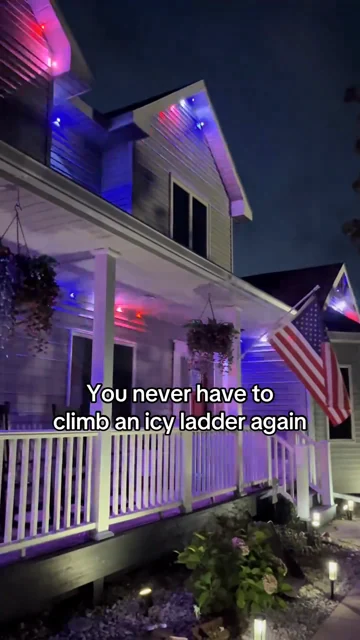
The opening promise reads “You never have to climb an icy ladder again.” The same text stays on through the first three angles. At about 3.63 seconds it clears as the view cuts back to the full porch and roof. The lights then cycle while the framing stays similar, which makes the changes easy to compare.
The cut times below come from examining the frames of the original post, rounded to two decimals. ReelFlock’s storyboard groups the clip into 0–4, 4–8 and 8–12.87 second blocks. Use those blocks for a summary of the story and the frame timings for an editing reference.
- 01.00 s
- 03.30 s
- 04.20 s
| Shot and range | Framing or move | Screen text |
|---|---|---|
| Hook · Shot 1 0–1.73 s | Angled wide shot of the front porch and lit roofline. | “You never have to climb an icy ladder again” |
| Hook · Shot 2 1.73–2.97 s | Cut to a tighter view across the porch and upper windows. | The same benefit line stays visible. |
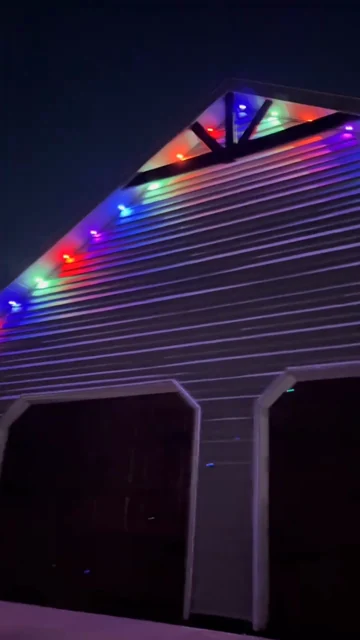
| Hook · Shot 3 2.97–3.63 s | Cut to a low-angle view of the lit gable. | The benefit line stays through the cut. |
| Product proof · Shot 1 3.63–12.87 s | Return to a wide view and hold as the lights change, dim and light back up. | The hook text clears. |
Sources and verification
The shot boundaries are frame observations rounded to two decimals. The linked storyboard groups the same clip into broader story beats. Replay the source for the cut times and use TikTok’s Creative Codes and Adobe’s shot-list guide for the planning vocabulary.